

















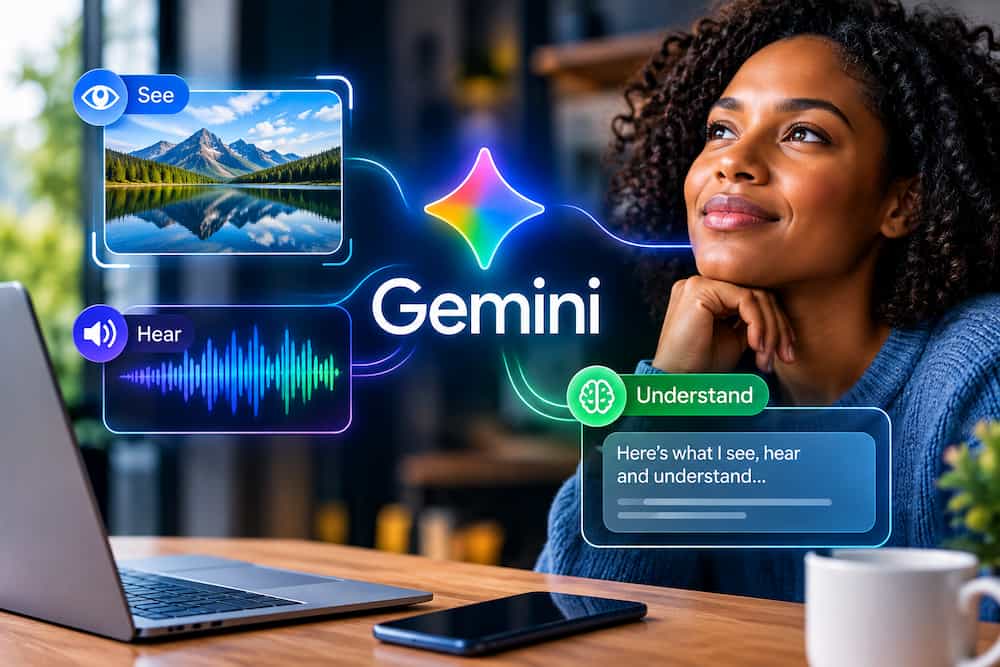
What Google Gemini is, what problems it solves, where it shines, where ChatGPT has the edge, and how to get the most from Google’s powerful AI assistant
Artificial intelligence has moved far beyond the era of simple chatbots.
Today’s leading AI assistants can research the web, analyse documents, write articles, create images, answer questions, help people learn and tackle increasingly complicated tasks.
But there is another development that could be even more important:
AI is becoming multimodal.
Instead of working primarily with text, modern AI can increasingly understand information in different forms—text, images, audio and video.
And this is where Google Gemini becomes particularly interesting.
Gemini has been designed around multimodal interaction, with Google’s long-context technology capable of processing enormous quantities of information across text, images, audio and video. Google has demonstrated Gemini models with context windows reaching one million tokens and has specifically highlighted their ability to work with long documents, images, audio and video.
That creates possibilities that are difficult to appreciate if you think of Gemini simply as another chatbot.
Imagine finishing a weekly business meeting.
You have:
- a recording of the meeting
- a 20-slide presentation
- a photograph of the whiteboard covered in handwritten notes
You want to know:
- What was discussed?
- What decisions were made?
- What actions were assigned?
- What did people disagree about?
- What information appeared in the presentation?
- What was written on the whiteboard?
- What should happen next?
Instead of manually reviewing everything, the goal is to give Gemini the different pieces of information and ask it to synthesise them.
That is where Gemini can be exceptionally powerful.
At the same time, Gemini isn’t perfect.
When it comes to raw reasoning and following extremely long, precise instruction sets, ChatGPT can sometimes feel more methodical and reliable.
So the real story isn’t that Gemini is simply “better” than ChatGPT.
It is that Gemini has some remarkable strengths—and those strengths are different from the strengths that make ChatGPT so compelling.
What Is Google Gemini?
Google Gemini is Google’s generative AI assistant.
You interact with it using ordinary language, just as you would communicate with another person.
You can ask Gemini to:
- answer questions
- explain difficult subjects
- research information
- analyse documents
- understand images
- work with audio and video
- summarise meetings
- write content
- brainstorm ideas
- develop plans
- help you learn
- analyse business information
- create and refine projects
- challenge your ideas
- help solve problems
But describing Gemini as a chatbot doesn’t really capture what it is becoming.
A better description is:
Gemini is an AI assistant that can work with information in multiple forms and help turn that information into useful outcomes.
And that distinction is important.
The Big Difference: Gemini Doesn’t Just Read Your Information
Traditional software generally expects information in a particular format.
A word processor works with text.
A spreadsheet works with numbers.
A video player plays video.
An image editor works with images.
AI changes the relationship.
A multimodal AI can potentially work across different types of information.
You can give it text.
You can give it an image.
You can give it audio.
You can give it video.
And instead of treating them as completely separate things, the AI can reason across the information they contain.
This is one of Gemini’s most impressive capabilities.
Gemini’s Multimodal Advantage
Gemini’s ability to work with different types of media is one of the areas where it can really shine.
Google’s long-context research specifically describes Gemini’s ability to process combinations of text, images, audio, code and video within the same context.
This is fundamentally different from simply asking an AI to analyse a photograph.
Consider the difference.
Scenario One
You upload a photograph and ask:
“What is in this image?”
That’s useful.
But relatively simple.
Scenario Two
You provide:
- a video recording
- an audio recording
- a presentation
- photographs
- written notes
and ask:
“Analyse everything I’ve provided. Identify the important information, reconcile contradictions, extract the decisions and produce a summary.”
Now you’re asking the AI to perform something much more sophisticated.
You’re asking it to synthesise different forms of information.
This is where Gemini becomes particularly compelling.
The One-Million-Token Context Advantage
Another major Gemini strength is its enormous context window.
Google introduced Gemini 1.5 Pro with a context window of up to one million tokens, describing it at the time as the longest context window of any large-scale foundation model and demonstrating the ability to process huge quantities of text, images, audio and video. Google researchers also tested contexts reaching 10 million tokens.
Why does this matter?
Because context determines how much information an AI can consider at once.
Imagine trying to analyse a large collection of information.
You might have:
- a long video
- an hour-long audio recording
- a large PDF
- a slide presentation
- photographs
- spreadsheets
- written notes
With a smaller context window, you may need to break the material into pieces.
That creates a problem.
You might analyse one section, then another, then another.
Eventually, you have to bring all those conclusions together.
Gemini’s large context capability is designed to make much larger information sets possible within one workflow.
A Real-World Example: Your Weekly Business Meeting
Imagine you have just finished a weekly management meeting.
You have three important pieces of information.
1. The Meeting Recording
A video recording contains the actual conversation.
It captures what people said, the discussion and the sequence of events.
2. The Presentation
You have a 20-slide presentation containing:
- financial information
- sales figures
- project updates
- charts
- deadlines
- objectives
3. The Whiteboard
Someone took a photograph of the whiteboard at the end of the meeting.
It contains rough notes, arrows, ideas and action points.
Normally, you would have to review all three separately.
Watch the video.
Review the slides.
Study the photograph.
Take notes.
Compare everything.
Then write the follow-up email.
That’s a considerable amount of work.
With Gemini’s multimodal capabilities, you can instead aim for a workflow like:
“Review the meeting recording, the presentation and the photograph of the whiteboard. Summarise what was discussed, identify the major decisions, list every action item and who is responsible for it, identify any unresolved issues and draft a follow-up email to the team.”
That is an extraordinary use case for AI.
The AI isn’t merely summarising a document.
It is connecting information across different media.
And that is one of the strongest arguments for Gemini.
Why This Matters to Businesses
This capability has enormous implications for businesses.
Think about how much information companies generate every day.
Meetings.
Presentations.
Emails.
Documents.
Videos.
Training sessions.
Customer calls.
Photographs.
Reports.
Spreadsheets.
Internal discussions.
The information is there.
The problem is extracting value from it.
Gemini can potentially become a layer of intelligence sitting across that information.
For example:
“Watch this customer interview and compare what the customer said with our product specification. Identify the five biggest gaps.”
Or:
“Analyse this presentation and meeting recording. Identify the decisions that were actually made versus the ideas that were merely discussed.”
Or:
“Review these product photographs and the accompanying notes. Create a list of defects that need attention.”
This is where multimodal AI becomes much more than a novelty.
It becomes a productivity tool.
Gemini Can Listen and Watch—Not Just Read
This is an important conceptual difference.
A text-based AI primarily works with text.
A multimodal system can increasingly interpret information that isn’t naturally expressed as text.
Audio contains:
- speech
- tone
- conversations
- interviews
- meetings
- lectures
Video contains:
- speech
- movement
- demonstrations
- presentations
- visual events
- objects
- environments
Images contain:
- photographs
- diagrams
- charts
- screenshots
- handwritten notes
- visual evidence
Gemini’s ability to combine these forms of information gives it a particularly broad field of view.
And this is one area where the user experience can feel very different from interacting with a conventional chatbot.
Gemini vs ChatGPT: The Battle Gets Interesting
ChatGPT is an exceptionally capable competitor.
It can work with images, files and other forms of media, and OpenAI now documents video-file attachment and analysis capabilities as well.
So the difference shouldn’t be exaggerated into:
“Gemini understands media and ChatGPT doesn’t.”
That would no longer be accurate.
The more meaningful distinction is that Gemini’s multimodal architecture and very large context capabilities are among its defining strengths, particularly for tasks involving large amounts of mixed media.
And then another difference emerges.
ChatGPT Often Has the Edge in Raw Reasoning
If Gemini has an impressive advantage in multimodal information processing, ChatGPT often feels stronger when the task is primarily about complex reasoning and strict instruction following.
This isn’t an absolute rule.
Both systems have multiple models and modes, and their capabilities change rapidly.
But as a practical user experience, ChatGPT can sometimes feel more deliberate when faced with difficult reasoning problems.
You give it a complicated task.
You provide a long list of requirements.
You specify exactly how you want the answer structured.
And ChatGPT is often very good at working through those requirements systematically.
Gemini can sometimes be more willing to take a shortcut.
ChatGPT Is the More Obedient Assistant
This is one of the most important practical differences between the two systems.
When I use the word obedient, I don’t mean intelligent.
I mean:
How faithfully does the AI follow a detailed set of instructions?
Give ChatGPT a long checklist and it is generally more likely to work through the checklist.
For example:
- Research the subject.
- Use current information.
- Find five authoritative sources.
- Compare the sources.
- Identify disagreements.
- Write a 2,500-word article.
- Use British English.
- Include 10 specific sections.
- Include a comparison table.
- Include three examples in each major section.
- Don’t repeat information.
- Include a conclusion.
- End with a call to action.
ChatGPT is generally good at treating that as a specification.
Gemini may understand the overall objective but occasionally decide that some requirements aren’t essential.
It may combine steps.
It may shorten the requested process.
It may overlook an instruction.
Or it may simply deliver what it considers to be the best answer rather than exactly what the user requested.
For simple tasks, that can be perfectly fine.
For professional workflows, it can be frustrating.
Gemini Sometimes Takes the Shortcut
This is perhaps the easiest way to describe the difference.
ChatGPT often behaves like an assistant who says: “Tell me exactly what you want and I’ll work through it.”
Gemini can sometimes behave more like an assistant who says: “I understand what you’re trying to accomplish, so I’ll take the most efficient route.”
The second behaviour isn’t inherently bad.
In some circumstances, it’s desirable.
If you give Gemini a complicated assignment and it finds a faster way to accomplish the objective, you may actually appreciate it.
But what if one of those “unnecessary” instructions was actually essential?
That’s when the shortcut becomes a problem.
Why This Matters More Than It Sounds
Imagine you are asking an AI to review a legal contract.
You provide 15 specific questions that must be answered.
Gemini answers 12 of them.
The answer looks polished.
It sounds intelligent.
But three questions weren’t addressed.
The problem isn’t that Gemini produced a bad answer.
The problem is that it produced an incomplete answer.
This is why instruction-following is such an important AI capability.
As people move from asking AI questions to delegating work to AI, reliability becomes increasingly important.
Gemini’s Raw Reasoning Can Sometimes Feel Slightly Behind
Another practical observation is that Gemini’s raw reasoning capabilities can sometimes feel slightly behind ChatGPT.
Again, this isn’t a permanent technical ranking.
AI models are updated constantly.
Different versions perform differently.
But in complex reasoning tasks, particularly tasks involving numerous conditions, ChatGPT can sometimes produce a more carefully reasoned and methodical response.
Gemini may reach the answer faster.
ChatGPT may spend more time working through the problem.
And sometimes that extra deliberation produces the better result.
This is particularly noticeable when the task isn’t simply:
“Give me an answer.”
but:
“Analyse this complicated problem from multiple angles, follow these 15 requirements, challenge your assumptions and produce a specific output.”
That’s where ChatGPT can have an edge.
Gemini’s Web Search: Powerful, But Not Always Predictable
Gemini’s relationship with Google Search is another major strength.
Its Deep Research feature can conduct real-time research and uses Google Search as a source by default. Users can also select sources such as Gmail and Drive, and upload files.
Google’s AI Mode also searches multiple subtopics simultaneously to explore the web more deeply.
So Gemini clearly has powerful web-search capabilities.
However, there can be a frustrating distinction between having web-search capability and actually performing the search you explicitly requested in an ordinary conversation.
Sometimes you can tell Gemini:
“Search the web for the latest information before answering.”
and the resulting response may not behave as though the requested search was performed.
That can be frustrating when freshness is essential.
ChatGPT’s web-search functionality is similarly designed to retrieve current information, and OpenAI explicitly describes Search as a tool for recent or real-time information.
The lesson is therefore not:
“Gemini can’t search.”
It absolutely can.
The lesson is:
When fresh research is important, make the research stage explicit and use the platform’s dedicated research capabilities rather than assuming an ordinary conversational answer will always browse exactly when you ask it to.
Deep Research Is Where Gemini Gets Serious
Gemini’s Deep Research feature deserves special attention.
You can provide a research question and Gemini creates a research plan.
You can review that plan.
You can modify it.
Then Gemini conducts the research.
Google says Deep Research typically takes several minutes because Gemini analyses many sources, and more complex reports can take longer.
This is a completely different experience from asking:
“Tell me about electric cars.”
Instead, you might ask:
“Conduct a comprehensive analysis of the UK electric vehicle market. Identify the major manufacturers, current market trends, consumer concerns, government incentives, charging infrastructure challenges and the biggest opportunities for a new business entering the market.”
Now you’re asking Gemini to investigate a problem.
That’s much more valuable.
Gemini and Google’s Ecosystem
This is another area where Gemini has a natural advantage.
Google owns an enormous collection of products and services.
That includes:
- Search
- Gmail
- Drive
- Docs
- Sheets
- Slides
- Chrome
- Maps
- YouTube
- Google Workspace
Gemini can increasingly work alongside this ecosystem.
For example, Google’s Deep Research in Workspace allows users to choose sources including Drive, Gmail, Chat and the public web.
That means Gemini can potentially help bridge the gap between:
information → analysis → action
without requiring users to constantly move information between separate applications.
For Google-centric users, this is a major attraction.
Who Is Google Gemini Best For?
Gemini is particularly powerful for people who work with large quantities of mixed information.
Business Owners
A business owner may have:
- meeting recordings
- presentations
- spreadsheets
- customer feedback
- photographs
- emails
- reports
Gemini can potentially help bring these different sources together.
Researchers
Researchers dealing with enormous quantities of source material can benefit from long-context processing and Deep Research.
Students
Students can provide lecture material, notes, presentations and other resources and ask Gemini to turn them into summaries, revision material or quizzes.
Content Creators
Creators can use Gemini to analyse video, audio, images and written material as part of their content-development workflow.
Professionals
Professionals who spend much of their day dealing with documents, meetings, presentations and communications can use Gemini as an information-processing assistant.
Google Workspace Users
This may be Gemini’s most obvious audience.
If your professional life revolves around Google’s ecosystem, Gemini deserves serious consideration.
Who Might Prefer ChatGPT?
ChatGPT may be the better choice when your work requires:
- extremely detailed instructions
- complex multi-step workflows
- strict formatting
- precise adherence to requirements
- long checklists
- extensive reasoning
- iterative problem-solving
ChatGPT’s documented capabilities include complex instruction following, web search, deep research, image inputs and file analysis.
The key difference is not that ChatGPT has these capabilities while Gemini doesn’t.
It’s how each assistant behaves when you combine many requirements into one complicated assignment.
How to Get the Best Out of Gemini
Understanding Gemini’s strengths also tells you how to use it more effectively.
1. Give Gemini the Whole Picture
Don’t give Gemini only one piece of information if the answer depends on several.
If you have:
- the meeting recording
- the presentation
- the whiteboard photograph
give it all three.
The more complete the context, the more useful the synthesis can become.
2. Use Its Multimodal Strengths
Don’t think:
“Gemini is a text chatbot.”
Think:
“Gemini can work with different forms of information.”
Give it:
Text + Images + Audio + Video
and ask it to find relationships between them.
For example:
“Compare what was said in the meeting recording with the information presented in the slides. Then check the whiteboard photograph and identify the action points that appear there but weren’t mentioned in the presentation.”
That’s a much more sophisticated use of Gemini than asking a simple question.
3. Give It a Checklist
Because Gemini can occasionally skip requirements, make complicated assignments explicit.
Instead of writing:
“Analyse everything and give me a report.”
say:
Complete the following steps in order:
- Summarise the video.
- Summarise the presentation.
- Analyse the photograph.
- Compare the three sources.
- Identify agreements.
- Identify contradictions.
- Extract decisions.
- Extract action points.
- Assign responsibilities where possible.
- Draft the follow-up email.
Google itself recommends clear, structured instructions and checklists for complex Gemini tasks.
4. Ask Gemini to Check Its Work
After giving it a complex assignment, add:
“Before producing the final answer, check every item against my original instructions and make sure none has been omitted.”
This is especially useful when the task contains many requirements.
5. Use Deep Research for Serious Research
If current information matters, don’t simply assume Gemini will browse.
Use Deep Research when appropriate.
Google allows users to review the research plan before starting and select the sources that should inform the investigation.
This makes the research process considerably more transparent.
6. Use Gems for Repetitive Tasks
If you perform a particular type of task repeatedly, create a specialised Gem.
For example:
My Business Analyst
Give it instructions about:
- your business
- your customers
- your objectives
- your preferred reporting format
- the questions it should always consider
Now you have a reusable AI assistant rather than starting from scratch every time.
7. Don’t Ask Gemini to Do Everything at Once
Ironically, Gemini’s enormous context capability doesn’t mean you should throw everything at it without structure.
If the task is complicated, divide the workflow into logical stages.
For example:
Stage 1: Understand the material.
Stage 2: Extract the important information.
Stage 3: Compare the sources.
Stage 4: Identify contradictions.
Stage 5: Develop recommendations.
Stage 6: Produce the final document.
This makes it easier to check the results at every stage.
8. Verify Important Information
No matter which AI you use, don’t blindly trust it.
Gemini can make mistakes.
ChatGPT can make mistakes.
Both can misunderstand a document.
Both can produce incorrect information.
For important decisions, verify:
- financial information
- legal information
- medical information
- statistics
- dates
- quotations
- research findings
- current events
AI should accelerate your thinking—not eliminate your responsibility to check important facts.
Gemini’s Greatest Strength
Gemini’s greatest strength may not be reasoning.
It may not be writing.
It may not even be search.
It may be context.
The ability to take enormous quantities of different types of information and work across them is potentially transformative.
Consider the meeting example again.
You have:
A video.
A presentation.
A photograph.
Instead of processing each separately, Gemini can potentially treat them as pieces of one larger information problem.
That is incredibly powerful.
ChatGPT’s Greatest Strength
ChatGPT’s greatest strength, in comparison, may be its ability to behave like a highly responsive instruction-following reasoning partner.
Give it a complicated specification.
Give it a long checklist.
Give it multiple constraints.
Tell it exactly how you want the result structured.
It often feels more inclined to work through the requirements systematically rather than deciding that some of them aren’t important.
That can make a significant difference in professional work.
Gemini vs ChatGPT: Which One Should You Use?
The answer may depend on the nature of your work.
| If your priority is… | Gemini | ChatGPT |
| Mixed-media analysis | Major strength | Strong |
| Very large context | Major strength | Strong |
| Video + audio + images + text | Major strength | Strong and evolving |
| Google ecosystem | Major strength | Good |
| Google Search integration | Major strength | Strong |
| Deep Research | Excellent | Excellent |
| Complex reasoning | Excellent | Often stronger |
| Long instruction sets | Good | Often stronger |
| Strict checklist compliance | Good with structure | Often stronger |
| Creative work | Excellent | Excellent |
| Writing | Excellent | Excellent |
| Learning | Excellent | Excellent |
| Business analysis | Excellent | Excellent |
| Repetitive workflows | Excellent | Excellent |
| Best for Google-centric users | Gemini | — |
| Best for highly instruction-heavy work | — | ChatGPT |
This isn’t a permanent ranking.
AI is changing too quickly for that.
Today’s advantage can become tomorrow’s standard feature.
The important thing is understanding the different strengths of the tools as they exist today.
The Best AI May Actually Be Both
There is no rule saying you have to choose one.
In fact, sophisticated AI users may benefit from using both.
Use Gemini when you have a huge collection of mixed media.
Use Gemini when you want to exploit Google’s ecosystem.
Use Gemini when you need to synthesise video, audio, images and text.
Use Gemini when a massive context window is particularly valuable.
Use ChatGPT when the task involves a lengthy specification.
Use ChatGPT when strict instruction following is critical.
Use ChatGPT when the problem requires intensive reasoning and iterative problem-solving.
And when a task is particularly important:
Give both systems the same assignment and compare the results.
That’s often more useful than reading a ranking online.
The Future of AI Is Multimodal
The most exciting thing about Gemini isn’t that it can write an email.
AI has been writing emails for years.
It isn’t that it can summarise a document.
Many AI systems can do that.
The really interesting development is the possibility of an AI that can understand the entire information environment surrounding a problem.
The meeting isn’t just the transcript.
It’s the conversation.
The presentation.
The whiteboard.
The spreadsheets.
The photographs.
The follow-up emails.
The previous meetings.
The background research.
The AI that can bring those things together has the potential to become much more useful than an AI that simply answers questions.
And this is where Gemini’s multimodal capabilities and long context become particularly important.
Final Verdict
Google Gemini is a remarkably powerful AI assistant.
Its ability to work across text, images, audio and video, combined with its enormous context capabilities, gives it a distinctive advantage for information-heavy tasks.
Imagine handing an AI a long video, a large presentation and a collection of photographs and asking it to understand how everything fits together.
That is the kind of task where Gemini can really shine.
Its integration with Google’s ecosystem adds another major advantage.
For people who already live inside Google Search, Gmail, Drive, Docs and other Google services, Gemini can become a natural part of their existing workflow.
But Gemini isn’t perfect.
Its raw reasoning can sometimes feel slightly behind ChatGPT on difficult problems.
More importantly, when given a long and complicated checklist, Gemini can sometimes skip requirements, simplify instructions or take shortcuts.
ChatGPT often feels more obedient in these circumstances.
It tends to treat a detailed prompt as a specification and work through the requirements more methodically.
That difference shouldn’t be underestimated.
When you ask an AI a simple question, almost any leading model can produce an impressive answer.
But when you hand an AI a complicated job with 20 requirements, the ability to follow every requirement becomes a critical measure of quality.
So the final verdict is not:
Gemini is better than ChatGPT.
Nor is it:
ChatGPT is better than Gemini.
The more useful conclusion is:
Gemini and ChatGPT have different areas in which they shine.
Gemini’s standout advantage is its ability to work with enormous quantities of multimodal information and its deep connection to Google’s ecosystem.
ChatGPT’s standout advantage is often its reasoning, instruction following and ability to methodically work through complicated specifications.
For the person who has just finished a meeting and wants an AI to understand the video, audio, slides and photographs together, Gemini is an extraordinarily compelling tool.
For the person who has a 20-point specification and needs an AI to follow every instruction precisely, ChatGPT may be the safer choice.
And for the serious AI user, there is perhaps an even better answer:
Don’t choose one. Learn to use both—and use each where it is strongest.